
By Andrew · Prepared with AI assistance.
A useful lock supplier quotation comparison starts by checking whether the offers cover the same purchase. Match the item reference, included components, quantity, unit of price, currency, and stated delivery scope before comparing totals. A lower price for a lock body alone does not answer a request for a complete lock set.
This worksheet is for procurement teams buying locks for furniture, cabinets, mailboxes, lockers, and enclosures. Use it after supplier replies arrive and before committing to an order. It organizes quotation evidence and open questions; technical suitability and commercial approval remain with your authorized project owners.
Keep One Request as the Comparison Baseline
Give the request for quotation (RFQ) a reference and revision. Record which item or approved requirement document each supplier received, the quantity requested on each line, and the contents of the requested purchasing unit. Keep the original replies alongside your comparison rather than overwriting them with your interpretation.
For example, “1,200 sets” needs an agreed contents list. Does each quoted set include the referenced lock body, cam or other specified parts, and accessory pack? Record the answer from the offer. If you are comparing cabinet lock listings, keep the listed model reference separate from your required set contents. A listing alone does not establish what a particular quotation includes.
When the requirement itself is incomplete, return to the drawing and RFQ checklist with the responsible engineer. A price comparison should reference approved requirements, not create technical specifications on the buyer’s behalf.
Check Whether Each Offer Can Be Compared
Microsoft’s RFQ comparison documentation explicitly distinguishes the supplier’s quoted quantity from the requested quantity. It also shows line amounts and differences between quoted and requested receipt dates. These are useful checks even when your team uses a simple worksheet rather than that software.
| Check | Record from each offer | If it differs or is missing |
|---|---|---|
| Item and requirement reference | Supplier item, buyer item, referenced document revision, stated alternatives | Ask for confirmation against the common request; keep alternatives on separate lines. |
| Purchasing unit and contents | Piece, complete set, pack, or other unit, with included-part references | Request a contents clarification before treating units as equivalent. |
| Quoted quantity and price tier | Quantity covered by the offered rate, any quoted minimum or order multiple | Request the rate for the intended purchase quantity; do not apply another tier without confirmation. |
| Price basis and currency | Price per piece, per set, or per stated number of units; currency | Show any conversion separately with its source and date. Keep different currencies separate until the buyer approves a common basis. |
| Packaging and delivery scope | Quoted pack reference, included services, destination or named place as stated | Ask for a revised offer on the requested scope; do not silently assign a cost to the difference. |
| Validity and conditions | Quote reference, revision, expiry, payment text, and stated conditions | Request renewal or clarification before relying on an expired or conditional offer. |
Use three review states: comparable for the stated scope, clarification required, or alternative offer. These are worksheet labels, not supplier quality ratings. A low-priced alternative can stay visible while being excluded from the common-scope ranking until the responsible owner approves that alternative.
Give Every Charge a Clear Status
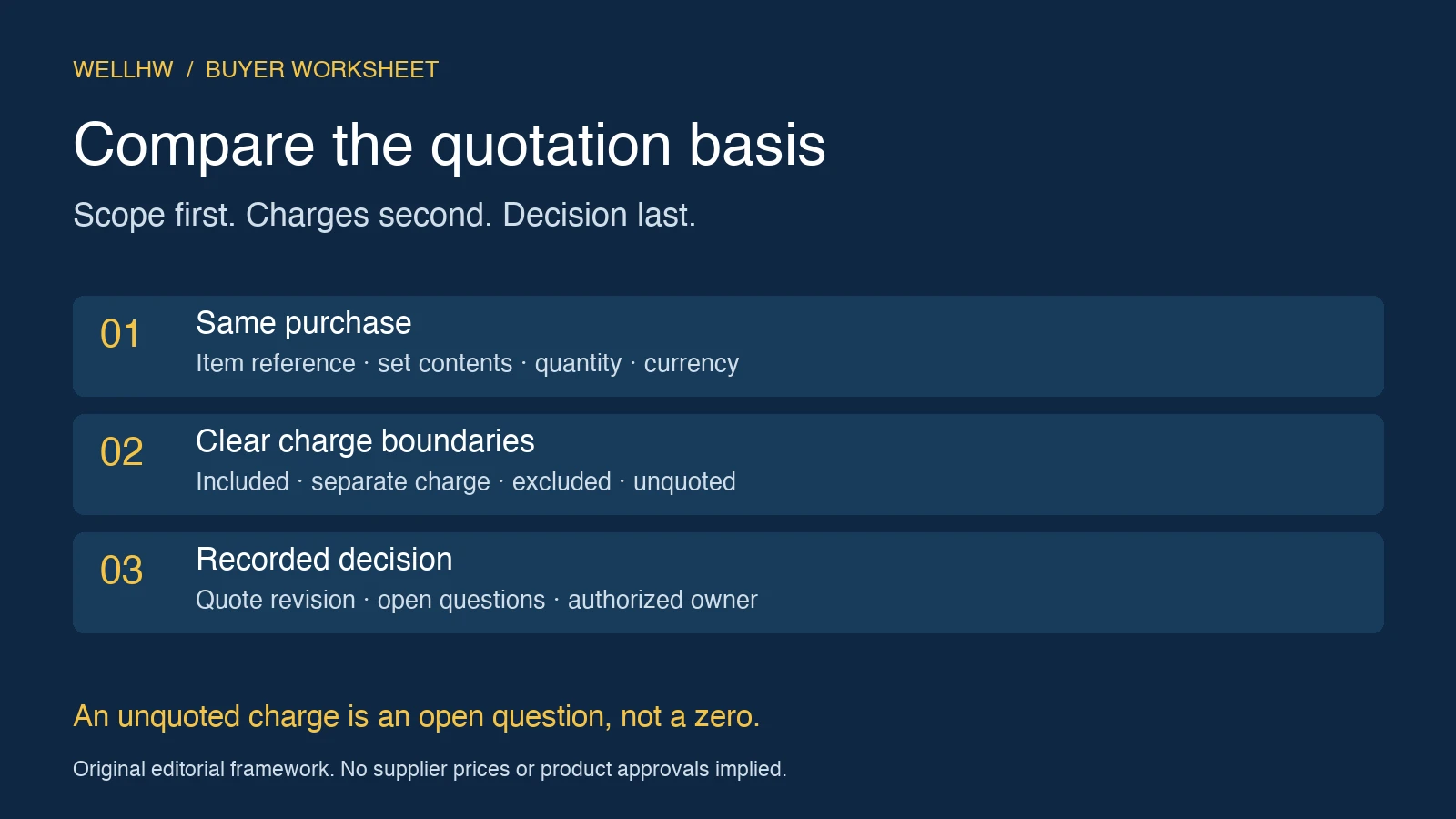
Microsoft’s RFQ overview includes incidental charges and discounts among the information a buyer can request. For this worksheet, give each relevant charge one of four statuses:
- Included: the offer confirms the charge is already covered by a specified price line. Record that reference and do not add it again.
- Separate charge: the offer gives an amount and currency. Record whether it applies per unit, per shipment, per order, or to another stated scope.
- Excluded: the offer states that the charge is outside its scope. Keep the exclusion visible; establish whether a separate amount is needed for the buyer’s comparison.
- Unquoted: no confirmed amount or inclusion statement is available. Leave the amount unresolved and assign a clarification owner.
Use a confirmed zero only when the applicable source actually confirms no additional charge. A blank cell, a dash, and an exclusion are not evidence of zero cost. Do not add a one-time charge to every unit, or count a charge again when it is already included in the unit price.
Label the calculation to match its coverage. “Quoted goods and separately priced packaging” is more precise than “total cost” when transport or other costs remain outside the calculation. This article does not calculate import taxes, interpret delivery rules, or establish a landed cost.
Worked Example: The Lowest Unit Price Is Not the Lowest Stated Subtotal
Fictional offers for arithmetic only: a buyer requests 1,200 complete sets under one approved item reference. All amounts below are illustrative USD figures, not WELLHW quotations or market prices. Offers A and B confirm the same set contents and packaging scope. Transport remains unquoted for both.
| Field | Offer A | Offer B | Offer C |
|---|---|---|---|
| Quoted quantity | 1,200 sets | 1,200 sets | 1,500 sets |
| Price per complete set | USD 1.40 | USD 1.32 | USD 1.25 at 1,500 sets |
| Packaging charge | Included in unit price | USD 144 per order, separate | Unquoted |
| Goods and packaging subtotal for 1,200 sets | USD 1,680 | USD 1,728 | Not available on the requested basis |
| Transport | Unquoted | Unquoted | Unquoted |
| Next action | Clarify remaining scope | Clarify remaining scope | Request 1,200-set offer and packaging clarification |
Offer A: 1,200 × USD 1.40 = USD 1,680, with packaging included. Offer B: 1,200 × USD 1.32 + USD 144 = USD 1,728. A is USD 48 lower for these stated lines. That difference does not establish the lowest delivered cost or select a supplier.
Do not multiply C’s 1,500-set rate by 1,200 and present the result as a valid offer. The supplier has not quoted that purchase. If the buyer wants to evaluate 1,500 sets instead, create a separate quantity scenario and obtain comparable replies for it. Preserve the original request so a quantity change cannot disappear inside a spreadsheet.
Record Dates and Terms Without Rewriting Them
Keep the supplier’s timing statement and its starting condition together. A quoted period tied to an approval event cannot be compared with an arrival date by placing the two entries in one unlabeled “delivery” column. Ask the supplier to identify the event, location, and conditions that its statement covers.
The MOQ and lead-time discussion addresses the broader sourcing questions. This comparison records what each particular reply says; it does not establish actual capacity, confirm a production slot, or promise a delivery date.
Likewise, copy payment and delivery terms accurately and route unclear obligations to the authorized commercial owner. A quotation worksheet should make differences visible rather than declare legally different terms equivalent.
Copyable Lock Quotation Comparison Worksheet
Use one offer block per supplier and repeat the item block for each purchase line. Link every material entry to a quote page, line, or dated clarification. “Same as requested” needs a reference identifying which request revision the supplier confirmed.
1. Common request
Comparison ID / revision / review date: ____
Buyer owner / request reference and revision: ____
Buyer item / approved requirement reference: ____
Purchasing unit / included-part and packaging references: ____
Requested quantity / comparison currency and delivery scope: ____
2. Supplier reply
Supplier / quotation reference / revision / date / expiry: ____
Quoted item / requirement acknowledgment / alternative: ____
Quoted quantity / price tier / unit and price basis: ____
Unit price / currency / discount and its conditions: ____
Quoted timing / start event / destination or named place: ____
Payment and delivery text / source reference: ____
3. Charge register
Charge name / scope / status: ____
Included-price reference OR separate amount and currency: ____
Already counted elsewhere? / source reference: ____
Excluded or unquoted item / clarification owner / target date: ____
Calculated subtotal / explicitly covered lines / exclusions: ____
4. Review and handoff
Scope state / reasons / alternatives kept separate: ____
Outstanding question / response evidence / owner: ____
Technical or commercial approval still needed: ____
Decision / selected quotation revision / exact covered lines: ____
Authorized decision owner / date / remaining conditions: ____
Order-review reference / differences to resolve before commitment: ____
Transfer the Chosen Offer Into Order Review
Before commitment, ask another buyer to reproduce the subtotal from the referenced quotation. Check that the selected revision, items, quantities, set contents, packaging scope, separate charges, and unresolved conditions match the proposed order. Preserve any later clarification as a new dated reference.
Connect required production evidence to the supplier document checklist. A completed price comparison does not replace sample approval, technical acceptance, or other project release decisions.
For a WELLHW project inquiry, use the OEM and ODM inquiry route with your own item or requirement reference, intended quantity, set and packaging scope, delivery destination, and the quotation fields that need clarification. Keep competitor-confidential documents and sensitive access information out of general inquiry messages.
This AI-assisted article provides an adaptable editorial worksheet. The framework and fictional offers do not represent WELLHW’s internal procedure, a customer case, supplier qualification, or product approval.
