
A lock RFQ clarification log connects each inquiry question to its source, answer, responsible reviewer, and closure evidence. RFQ means request for quotation. Use the log when sourcing cabinet, drawer, furniture, or enclosure locks and questions arrive across emails, attachments, and revised offers.
Start with one question per entry. Record the exact RFQ line and revision, the answer you need, and who will review it. Close that entry when the reviewer has recorded a decision and the affected documents and recipients are accounted for. This keeps a short email reply from hiding an unanswered part of the inquiry.
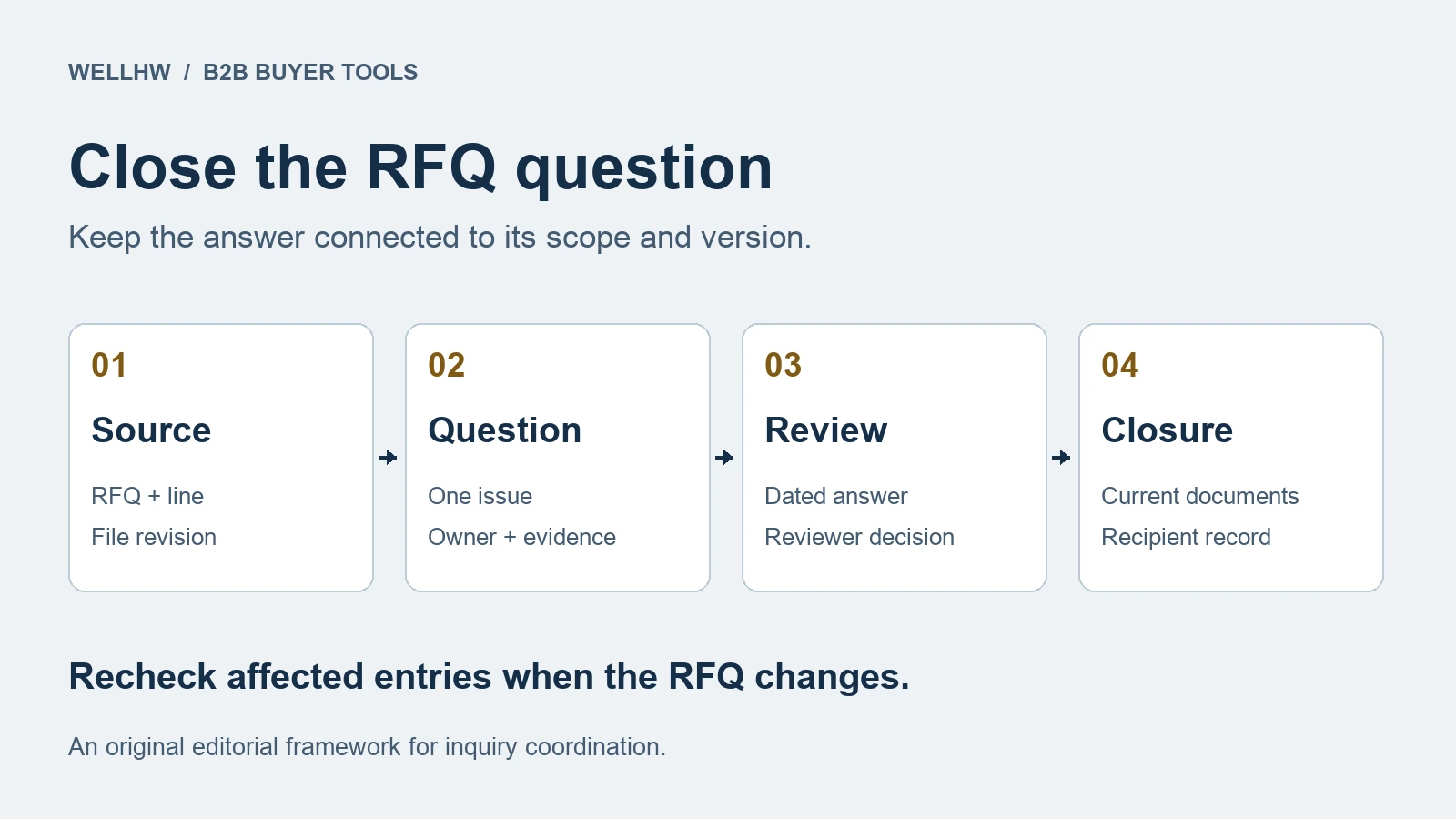
Anchor Each Question to the Issued Inquiry
Give the log a header containing the RFQ number, issued revision, issue date, buyer owner, and supplier. Keep the original sent package accessible through a controlled reference. For each entry, identify the affected buyer item, supplier reference if available, and inquiry line.
For a cabinet lock inquiry, a question might concern which attachment defines the requested set contents, whether both inquiry lines received a response, or which quotation revision includes a later answer. Retain the actual file names and revisions. A message saying “use the attached list” remains ambiguous when several different lists appear in the thread.
Split questions that need different owners or evidence. “Please confirm the inquiry” is difficult to close consistently. “Which RFQ revision does quotation Q12 cover?” produces a traceable answer. A separate question can address an omitted item line.
Separate the Reply From the Closure Decision
Use the following states as adaptable tracking labels. Define the evidence needed for closure when assigning the question, so a colleague can continue the review without reconstructing the whole conversation.
| State | What the record shows | Next action |
|---|---|---|
| Open | A specific question, owner, source revision, and requested response date | Send the question through the agreed inquiry channel. |
| Answer received | A dated reply linked to the question | Check coverage and route the answer to its reviewer. |
| Follow-up required | A missing part, conflicting reference, or required document update | Ask for the exact remaining evidence and retain the earlier reply. |
| Closed for stated scope | Reviewer decision, supporting references, covered lines, and distribution record | Carry the resolved references into the next purchasing review. |
| Reopened or superseded | A later revision affects the answer or replaces the question | Identify the changed scope and link the replacement review. |
Keep a partial answer visible. If a supplier identifies the correct attachment for one lock item but leaves a second item unanswered, record the covered item and retain an open action for the other. Ask the responsible specialist to review any answer that requires engineering or quality judgment, and link that person’s decision.
Worked Example With Three Open Questions
Fictional administrative example. A buyer issues RFQ-41 revision R02 with two lock item lines, DL-A and CL-B. The package index lists contents attachment C02. Supplier offer Q12 cites R01, omits CL-B, and refers to a file the buyer cannot find.
- C-01, missing file. The supplier resends the referenced file with its name and revision. The buyer checks that it opens and matches the cited reference. Record that file-access question as closed.
- C-02, inquiry revision. The supplier replies “R02 received.” Keep the question at follow-up required because the offer still cites R01. Request an updated offer or an explicit, traceable statement identifying the offer scope against R02.
- C-03, omitted line. The supplier explains that CL-B is excluded from Q12. Record the answer and the buyer’s next decision for that line. Keep CL-B outside the scope covered by the offer while the buyer decides how to proceed.
Later, Q13 explicitly references R02 and includes a response for both lines. The buyer reviews that version and records which entries it resolves. If R03 then replaces contents attachment C02 with C03 for DL-A, reopen the affected DL-A question and seek a response to R03. The file-access answer for the earlier attachment can remain part of the history.
This example demonstrates question coverage and version tracking. All identifiers and events are fictional. The reader’s own authorized reviewers determine the purchasing and technical decisions.
Record Who Received the Applicable Answer
Keep each supplier’s exchanges identifiable. For a clarification that changes the buyer’s common inquiry package, have the authorized buyer identify the affected recipients and issue the applicable revision through the project’s process. Record the version sent, recipient, sent date, and response still needed.
Microsoft Dynamics 365 supports both individual vendor replies and grouped answers to RFQ questions. Its documentation also describes publishing answers more than once. These software features illustrate why recipient scope and answer versions deserve their own fields in a log. Microsoft Learn documents the RFQ question-and-answer options.
Before distributing a common answer, remove supplier-specific pricing, proprietary attachments, and confidential details from that version. Retain the restricted source where authorized users can find it. Have the responsible buyer decide what may be shared and which recipients need the revised request.
Copyable Lock RFQ Clarification Entry
Repeat this entry for each question. Keep a separate package header for each RFQ revision and supplier. Use controlled links or references for attachments, and write “unknown” with an owner where information is missing.
Question and scope
Clarification ID / RFQ number / issued revision ____
Supplier / buyer owner / question date ____
Inquiry line / buyer item / supplier reference ____
Exact source file, revision, page, or message ____
Question / affected decision / evidence needed ____
Answer owner / requested response date ____
Answer and review
Reply reference / date / answered lines ____
Answer summary / remaining uncertainty ____
Responsible reviewer / review date / decision reference ____
Required revised document / received revision ____
Current state / next action / action owner ____
Closure and version coverage
Closed scope / closure evidence / closed date ____
Applicable RFQ and offer revisions ____
Affected recipients / version sent / sent date ____
Outstanding recipient responses ____
Later change / reopened question / replacement entry ____
For example, send “Please identify which RFQ-41 R02 lines offer Q12 covers and provide the reference for the missing CL-B response. Reply against C-02 and C-03 separately.” Include the relevant source references and a requested reply date chosen for your project.
Check the Log Before the Purchasing Handoff
Filter for open questions, incomplete answers, and entries affected by later revisions. Review questions that could change the proposed purchase scope before relying on an offer. Record the unresolved scope, owner, and next action whenever the review proceeds only in part.
Then trace each closed entry through four points. Can another buyer find the original question? Can they identify the answer reviewed? Does the selected offer cite the applicable scope? Does the distribution record show who received that version? A simple closed-question count can conceal an important unresolved line.
Use the resolved inquiry and offer references in the lock supplier quotation comparison. Once a purchase order has been issued, carry its references into the PO acknowledgment review.
For an inquiry to WELLHW, send your RFQ number and revision, affected lock item or line, relevant attachment references, and the specific unanswered question. Include the response format you need and the buyer owner for follow-up. Send the RFQ clarification request to WELLHW.
This is an adaptable B2B purchasing tool. The worksheet, tracking states, and fictional example are original editorial material. Apply your organization’s actual document controls and approval responsibilities.
